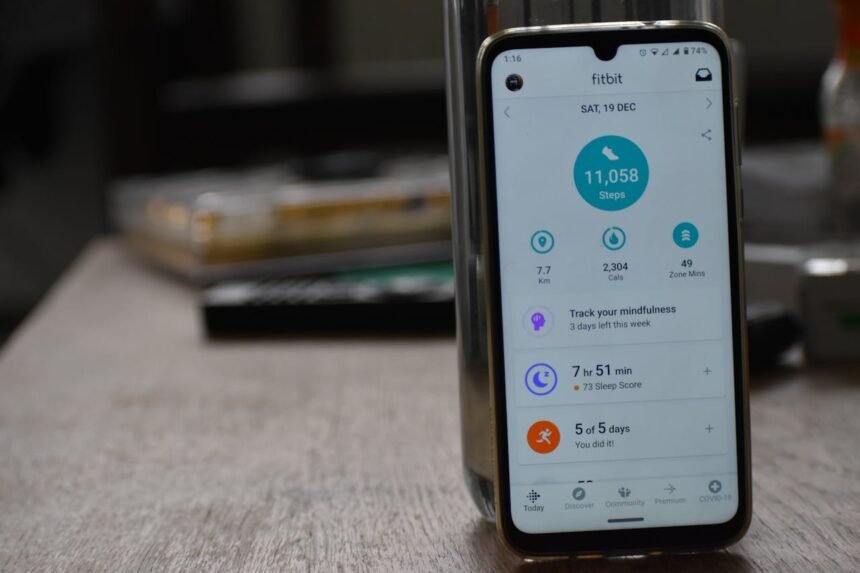
In the modern world, it can be remarkably easy to fall into a sedentary lifestyle. Between office jobs, long commutes, and evening streaming sessions, many of us spend more time sitting than we realise. However, the solution to improving your cardiovascular health might already be in your pocket. A high-quality step counter app transforms your smartphone into a powerful tool for wellness, helping you bridge the gap between where you are and where you want to be.
Whether you are training for a marathon or simply trying to increase your daily movement, tracking your progress is key. Research published by Harvard Health suggests that monitoring your steps can significantly increase your physical activity levels. In this guide, we will explore how to utilise these digital tools to enhance your vitality and reach your fitness milestones.
The Science of Stepping: Why Tracking Matters
Walking is often underrated as a form of exercise, but its benefits are profound. According to the NHS, even a brisk ten-minute walk can contribute to your weekly physical activity guidelines. By using a step counter app, you gain immediate feedback on your performance, which acts as a psychological catalyst for consistency.
Modern apps do more than just count. They leverage sophisticated pedometer technology and GPS functionality to provide a holistic view of your health. By understanding your baseline activity levels, you can set personalised goals that are challenging yet attainable.
Physical and Mental Benefits
The advantages of increasing your step count extend far beyond weight management. Regular walking has been linked to:
- Improved Heart Health: Lowering the risk of stroke and coronary disease, as noted by the British Heart Foundation.
- Better Glycaemic Control: Helping to manage or prevent Type 2 diabetes, according to Diabetes UK.
- Enhanced Mental Wellbeing: Reducing symptoms of anxiety and depression, as highlighted by the Mental Health Foundation.
- Cognitive Longevity: Research in Nature indicates that walking can actually support brain structure and function.
How a Step Counter App Functions
You might wonder how a device in your pocket knows exactly when you have taken a stride. Most smartphones contain a 3-axis accelerometer. This sensor detects movement in all directions, and the app’s software filters this data to distinguish a footfall from a random shake of the phone. For more precise data, studies in PubMed show that wearable sensors often provide higher accuracy during varied intensities of exercise.
Many users find that smartwatch integration offers the most seamless experience. When your phone and watch communicate, they provide a comprehensive look at your health, often including a heart rate monitor and sleep monitoring features to ensure you are recovering as well as you are moving.
Comparing Tracking Methods
To help you decide which method suits your lifestyle, consider the following comparison:
| Feature | Smartphone App | Wearable Tracker |
|---|---|---|
| Convenience | High (No extra device needed) | Medium (Must remember to wear it) |
| Accuracy | Good (Best in pocket/waist) | Excellent (Wrist-based) |
| Data Type | Steps, GPS, Basic fitness tracking | Steps, HR, Sleep, SpO2 |
| Cost | Low (Often free or freemium) | Variable (Upfront hardware cost) |
Choosing the Right App for Your Goals
Not every step counter app is created equal. When selecting the right tool, you should consider what motivates you. Some apps focus on being a pure distance tracker, while others function as a comprehensive calorie burner calculator to assist with weight loss goals.
When reviewing options, look for these features:
- Social Connectivity: The ability to join challenges with friends.
- Battery Efficiency: Some apps use high amounts of power due to constant GPS use.
- Privacy Standards: Ensure your movement data is securely stored.
- Customisation: The ability to set your own targets rather than a generic 10,000-step goal.
While 10,000 steps is a common benchmark, the Mayo Clinic notes that the most important factor is simply moving more than you did yesterday. Even small increases in your daily total can lead to significant health improvements.
Maximising Your Results
To get the most out of your chosen technology, it is essential to look at the bigger picture. Physical activity is just one pillar of health. For instance, the Sleep Foundation points out that regular exercise can improve the quality of your rest, creating a positive cycle of energy and recovery.
Furthermore, walking is an excellent way to maintain joint health without the impact of high-intensity sports. The Arthritis Foundation recommends walking to keep joints flexible and strengthen the muscles that support them. If you are using your app for weight management, Medical News Today suggests combining step tracking with a balanced diet for the best results.
Finally, consider your intensity. Research from the University of Sydney suggests that walking pace may be just as important as the total number of steps taken. Many apps now allow you to track your “brisk” minutes to ensure you are meeting the intensity levels recommended by the World Health Organization.
Frequently Asked Questions (FAQs)
Is a step counter app accurate if my phone is in my bag?
While modern sensors are quite advanced, accuracy is generally highest when the phone is close to your body, such as in a pocket or on a waistband. Carrying your phone in a loose bag can sometimes lead to “phantom steps” or missed movements. If accuracy is your primary concern, consider smartwatch integration or a dedicated clip-on device, as discussed in ScienceDirect.
Do I really need to hit 10,000 steps every day?
The 10,000-step goal originated as a marketing campaign rather than a medical requirement. While it is a great target, significant health benefits are seen at much lower levels. Recent longitudinal studies published in The Lancet suggest that for many, 7,000 to 8,000 steps may be the “sweet spot” for longevity, particularly for older adults.
Will using a step counter app drain my battery?
Most modern apps are designed to be battery-efficient by using the phone’s low-power motion co-processor. However, if the app uses constant GPS functionality to map your walks, you will notice a quicker battery drain. You can usually toggle these features in the app settings to find a balance between data detail and battery life.