
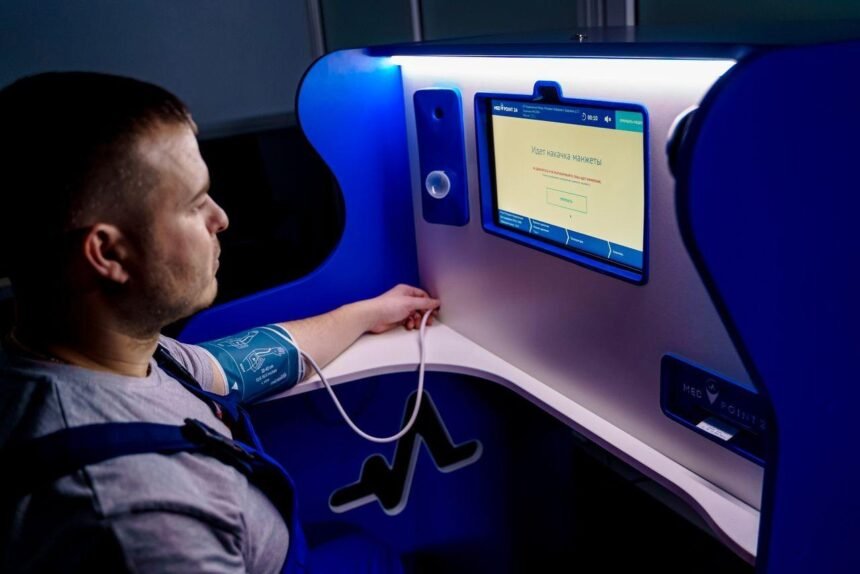
Remote monitoring lets doctors track your health data while you stay at home. A small device checks things like blood pressure, blood sugar, or oxygen. The numbers then travel safely to your care team. Think of it as a regular check-up that happens in your living room.
This guide explains the basics of remote patient monitoring in plain language. You will learn which devices are used, how a remote monitoring system works, and why it helps people with long-term conditions. We also show how the data connects to doctor portals and what to ask before you sign up.
Along the way, we cover remote monitoring services, remote monitoring software, and the IT side known as remote monitoring and management. Everything is based on trusted sources like NEJM Catalyst, the U.S. Department of Health and Human Services, and the American Heart Association. Use it as a friendly starting point, and always talk to your own doctor.
Why Remote Monitoring Matters Today
A doctor visit gives you one snapshot of your health. It shows how you feel on one day, in one room, at one time. But your body does not live in a clinic.
Blood pressure rises and falls through the day. Blood sugar changes with every meal. Remote monitoring fills in the gaps between visits by tracking these changes at home.
That is a big shift in how care works. Instead of waiting for a problem to get worse, your care team can see warning signs early. They can call you, change a medicine, or ask you to come in.
This guide is written for patients, family caregivers, and small clinics. We keep the language simple and the paragraphs short. We also follow the E-E-A-T approach: experience, expertise, authority, and trust.
Because this is a health topic, we rely on respected sources. You will find links to NEJM Catalyst, HHS, and the American Heart Association inside the article. This guide supports your doctor’s advice and never replaces it.
Remote Patient Monitoring Basics
Let us start with the simple definition. Remote patient monitoring, often shortened to RPM, uses digital tools to collect health data from a person at home. The data is then sent to a doctor, nurse, or care team in another place.
The U.S. Department of Health and Human Services explains this idea in its HHS guide to remote patient monitoring. It also covers how privacy rules apply to this kind of data. That makes it a helpful starting point for any patient or provider.
In plain words, remote monitoring means your health is watched from a distance. You do the measuring at home. Your care team does the reviewing.
What Remote Monitoring Is Not
People often mix up a few terms. Let us clear them up.
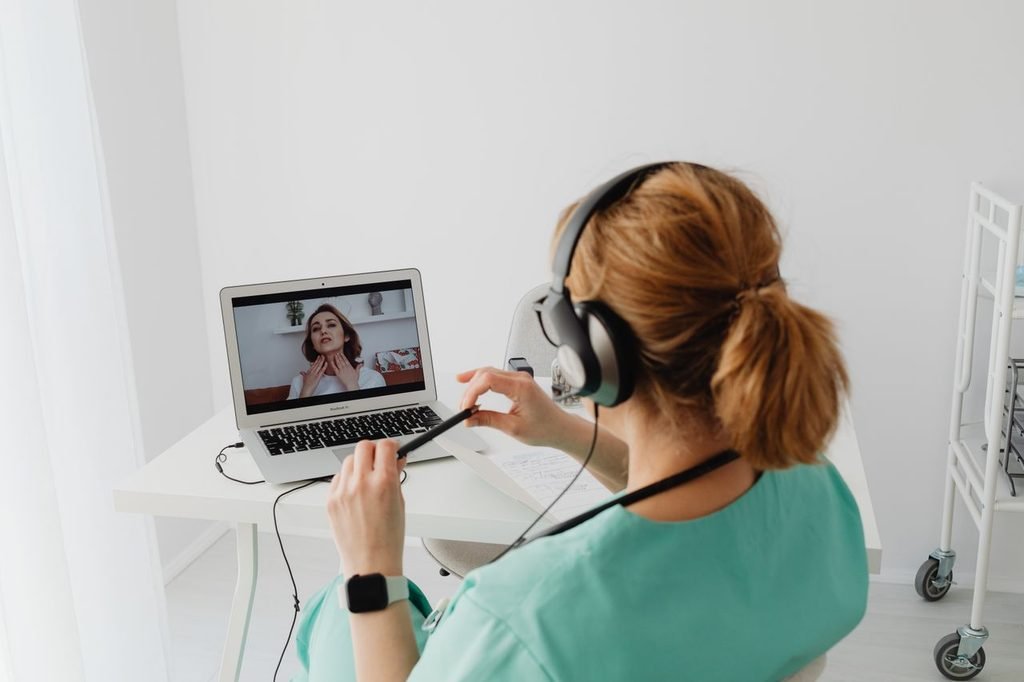
Telehealth is a live video or phone visit with a doctor. Remote monitoring is different because it collects numbers on a regular schedule, often without a call. The two can work together, but they are not the same.
An emergency alert button is also different. It helps in a crisis, but it does not track your health over time. A good monitoring program is about steady, daily information.
Who Uses Remote Monitoring?
Most users are people with long-term health conditions. These include high blood pressure, diabetes, heart failure, and lung disease. Older adults, people who just left the hospital, and some pregnant patients also use it.
Doctors, nurses, and health systems run the programs. Some clinics build their own remote monitoring system. Others hire outside remote monitoring services to handle devices, data, and alerts.
Family caregivers also play a role. They help set up devices, remind patients to take readings, and watch for changes. For many families, this brings peace of mind.
The Simple Steps of a Typical Program
Most programs follow the same path. First, your doctor decides that monitoring fits your needs. Next, you receive a device and learn how to use it.
Then you take your readings at home, often once or twice a day. The device sends the numbers to a secure app or portal. Finally, your care team reviews the data and acts on anything unusual.
That is the whole loop. It sounds simple, and in practice it can be. The real value comes from the human response after the numbers arrive.
How a Remote Monitoring System Works
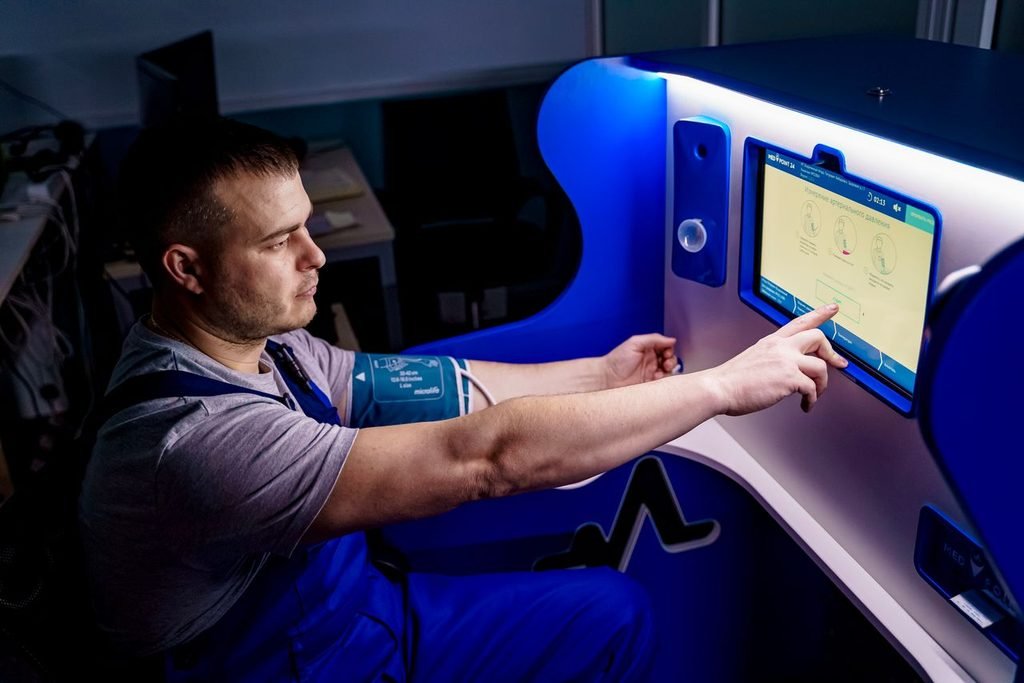
A remote monitoring system is a set of connected parts. Each part has one job. When they work well together, the data moves from your arm or finger to your doctor in seconds.
The table below shows the main parts in simple terms.
| Part of the System | What It Does | Example |
|---|---|---|
| Device or sensor | Measures a body signal at home | Blood pressure cuff, glucose meter, pulse oximeter |
| Connection | Sends the reading from the device | Bluetooth to a phone, cellular hub, or Wi-Fi |
| Software platform | Stores the data and shows it on dashboards | A secure app and clinician portal |
| Alert rules | Flags readings that are too high or too low | A message when blood pressure passes a set limit |
| Care team | Reviews data and takes action | Nurse call, medicine change, or visit request |
| Patient portal | Lets you see your own numbers and messages | Website or mobile app |
Notice that people are part of the system. Machines collect and move the data. Humans decide what it means.
A system with great devices but no one watching the numbers is not much help. A strong program has clear roles. Someone checks the data, someone calls the patient, and someone decides when to act.
Data Moves in Seconds, Not Days
Older methods relied on paper logs. Patients wrote down readings and brought the notebook to the next visit. Errors were common, and some patients forgot to write at all.
Modern remote monitoring software sends the data on its own. Many devices connect with Bluetooth or a built-in cellular chip. This cuts mistakes and makes the record more complete.
The data also arrives in time to matter. A high reading on Monday can trigger a call on Monday. That speed is a main reason why doctors like these programs.
Alerts and Thresholds
Your doctor sets the limits that matter for you. For example, a blood pressure reading above a chosen number may trigger an alert. A very low oxygen level may trigger a faster one.
Good programs avoid alert overload. If the system sends too many warnings, staff may start to ignore them. Smart settings and clear rules keep the focus on real problems.
You can help too. Take readings at the same time each day, sit quietly before a blood pressure check, and report how you feel. These small habits make the numbers more useful.
Devices Used in Monitoring
The devices are the part patients see and touch. They are usually small, easy to use, and made for home. Many connect to a phone or a hub without any wires.
The right device depends on your condition. Your care team will choose it and show you how to use it. Do not buy a random device without checking that it works with your program.
Here is a quick look at common devices.
| Device | What It Measures | Often Used For |
|---|---|---|
| Blood pressure monitor | Blood pressure and pulse | High blood pressure, heart disease, pregnancy |
| Glucose meter or continuous glucose monitor | Blood sugar levels | Diabetes |
| Pulse oximeter | Oxygen level and pulse | Lung disease, breathing problems, recovery at home |
| Smart scale | Body weight | Heart failure, fluid changes |
| Wearable ECG or heart patch | Heart rhythm | Irregular heartbeat, heart conditions |
| Spirometer or peak flow meter | Lung function | Asthma, COPD |
| Digital thermometer | Body temperature | Infection, recovery after surgery |
| Smart inhaler | When and how medicine is used | Asthma, COPD |
| Activity tracker | Steps, sleep, movement | General wellness, rehab |
This list is not complete, but it covers the tools you will see most often. New devices appear each year. Always ask your doctor which ones they trust and support.
Blood Pressure Monitors
These are some of the most common devices in home programs. A cuff goes around the upper arm and takes a reading. It sends the result to an app or hub.
The American Heart Association shares helpful tips in its guide to remote patient monitoring. It explains how home tracking supports heart health. It is a good read for anyone starting a program.
A correct cuff size matters a lot. A cuff that is too small or too big gives wrong numbers. Ask your care team to check the fit.
Glucose Monitors
For people with diabetes, blood sugar tracking is part of daily life. Traditional meters need a small finger prick. Continuous glucose monitors use a tiny sensor under the skin and send readings all day.
With a connected system, the numbers reach the care team automatically. They can see patterns, like spikes after meals or lows at night. This helps them adjust food plans, medicine, and exercise.
If you use insulin or other diabetes medicine, never change the dose on your own. Always follow your doctor’s instructions. The data is a tool for your care team, not a reason to guess.
Pulse Oximeters and Lung Devices
A pulse oximeter clips on your fingertip. It shows how much oxygen your blood carries. It also shows your pulse rate.
People with asthma or COPD may also use a spirometer or a peak flow meter. These show how well air moves in and out of the lungs. Falling numbers can be an early sign of a flare-up.
Home oximeters are helpful, but they are not perfect. Nail polish, cold fingers, and movement can change the reading. Your care team will tell you how to use yours the right way.
Smart Scales, Wearables, and Patches
A smart scale sends your weight to your care team each morning. For people with heart failure, a quick weight gain can mean fluid is building up. Catching it early may prevent a hospital stay.
Wearable patches and watches can track heart rhythm. Some can alert you and your doctor to an irregular beat. Doctors still need to confirm any finding with proper tests.
Activity trackers add context. They show how much you move and how well you sleep. Alone they do not diagnose anything, but they can show useful trends over weeks and months.
Choosing and Using Devices Safely
A few simple rules keep things safe and accurate. Follow them, and your data will be easier for your care team to trust.
- Use only devices approved or recommended by your care team
- Read the setup guide and ask for a demo if you feel unsure
- Keep devices charged and update the app when asked
- Take readings at the same time and in the same position each day
- Never ignore symptoms just because the numbers look fine
That last point is important. A device is a helper, not a judge. If you feel very unwell, call your doctor or emergency services, even if the screen says everything is normal.
Benefits of Remote Monitoring for Chronic Conditions
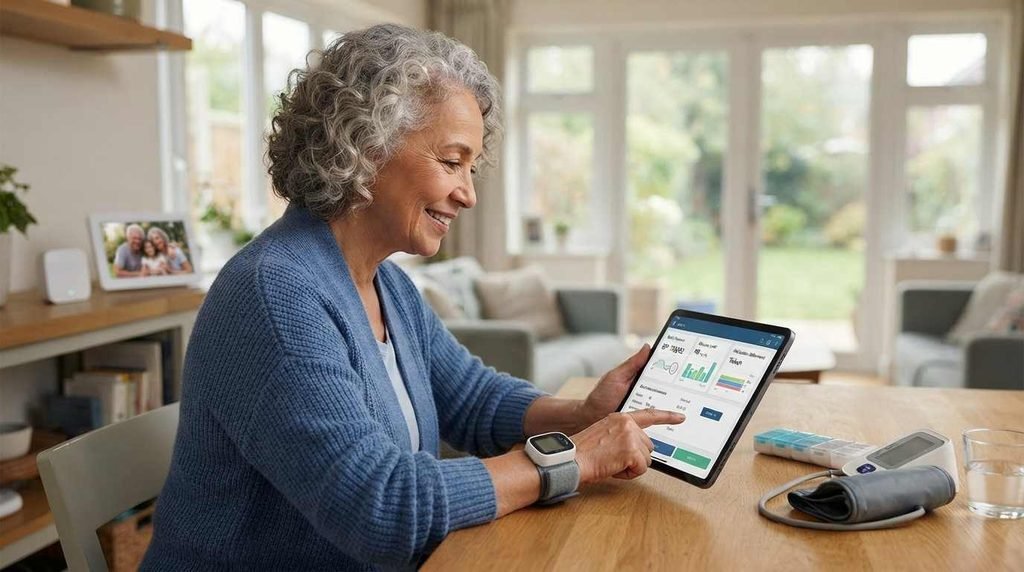
Long-term conditions need steady care, not just occasional visits. That is where remote monitoring shines. It gives doctors a daily picture instead of a yearly one.
Research and health system reports, including work shared by NEJM Catalyst on remote monitoring, point to its promise for managing chronic disease. Results vary by program, patient group, and how well the team responds to the data. So it is wise to see it as a strong tool, not a magic fix.
The table below shows how it can help with common conditions.
| Condition | What Is Usually Tracked | How Monitoring Can Help |
|---|---|---|
| High blood pressure | Home blood pressure and pulse | Shows true daily patterns and helps tune medicine |
| Diabetes | Blood sugar, sometimes weight and activity | Reveals spikes and lows between visits |
| Heart failure | Weight, blood pressure, heart rate | Flags fluid build-up early |
| COPD and asthma | Oxygen level, lung function, inhaler use | Spots flare-ups before they become serious |
| Recovery after surgery | Temperature, pain reports, activity | Catches signs of infection or slow healing |
| Pregnancy with risk factors | Blood pressure, weight, sugar | Helps watch for warning signs between visits |
| Older adults living alone | Activity, vitals, medicine use | Supports safe independent living |
Let us look at a few of these in more detail.
High Blood Pressure
Blood pressure at the clinic can be misleading. Some people feel nervous and read high there, while others read normal at the clinic but high at home. Home readings give a fairer view.
With a connected cuff, your care team sees weeks of numbers at once. They can tell if your medicine is working. They may adjust it without waiting for the next visit.
Diabetes
Blood sugar changes all day long. A single fasting test cannot show the whole story. Connected meters and sensors paint a fuller picture.
Care teams can spot patterns, like high readings after dinner or lows overnight. Then they can adjust food plans, activity, or treatment. Patients often feel more in control when they see their own trends.
Heart Failure
For heart failure, small changes matter. A weight gain of a few pounds in a few days can mean fluid is building up. The sooner the care team knows, the sooner they can help.
Daily weight and blood pressure checks are common in these programs. A nurse may call if the numbers move in the wrong direction. This kind of early contact may help prevent emergency visits for some patients.
COPD and Asthma
Lung conditions can flare up fast. A drop in oxygen level or breathing strength may show up before you feel very sick. Home tracking helps you and your doctor act earlier.
Smart inhalers also add value. They show how often you use your rescue medicine, which can signal poor control. Your doctor can then review your plan.
Benefits Beyond the Numbers
The gains are not only medical. Many patients save travel time and avoid long waits. People in rural areas or with limited mobility get easier access to care.
Patients also learn more about their own bodies. When you see how food, sleep, and stress change your numbers, you can make better choices. That sense of ownership is a quiet but powerful benefit.
Families may feel calmer too. Knowing that a care team is watching can ease worry for loved ones. Of course, no system replaces human attention at home.
What to Look For in Remote Monitoring Software
Good remote monitoring software makes life easier for patients and staff. Bad software adds clicks, confusion, and risk. Let us look at what separates the two.
Software is the brain of the program. It receives the data, stores it, shows it in charts, and triggers alerts. It also handles messages and reports.
Software vs. Platform: Is There a Difference?
People use these words in different ways. In simple terms, remote monitoring software is the application itself. A remote monitoring platform is the bigger package that may include devices, apps, dashboards, support, and links to other systems.
Some vendors sell only software. Others offer a full remote monitoring platform with hardware, setup help, and staff training. The right choice depends on the size of your clinic and your tech skills.
Key Features to Check
Before you pick a tool, review this short list. It works for clinics, caregivers, and patients who want to understand what they are using.
- Easy setup for patients, with clear steps and low tech needs
- Support for many device types, not just one brand
- Customizable alert rules for each patient
- Clear dashboards that show trends, not just single numbers
- Secure messaging between patients and the care team
- Strong privacy and security controls
- Reports for billing and quality tracking
- Links to electronic health records and doctor portals
- Real human support when something goes wrong
No tool will be perfect in every area. Focus on what matters most for your patients. Ask for a demo and test it with a few real users before you commit.
Integration With Doctor Portals
Here is where many programs succeed or fail. If the data sits in a separate app, busy doctors may never look at it. When it connects to the doctor’s regular system, it becomes part of daily work.
Integration means the remote monitoring system shares data with the electronic health record, or EHR. It may also connect to the patient portal, the website where you see test results and send messages. When this works, your readings appear next to your medical history, notes, and medicines.
This saves time and improves safety. The doctor does not need to log in to several tools. All the information lives in one place.
How the Connection Works
Behind the scenes, systems talk to each other through standard formats and connections. Common ones include HL7 and FHIR, which are widely used in health technology. Many vendors also offer APIs, which are digital doorways that let programs share data in a controlled way.
You do not need to know the technical details. You only need to ask a simple question. Does this tool connect to our EHR and patient portal, and how?
A good vendor will give a clear answer. They will also tell you which EHR systems they already work with.
Levels of Integration
Not all links are equal. Some are deep, and some are basic. This table shows the common levels.
| Level | What It Means | Pros | Cons |
|---|---|---|---|
| Stand-alone | Data stays in a separate dashboard | Quick to start | Extra logins and easy to overlook |
| Partial link | Summary data or reports sent to the EHR | Doctors see key numbers | May miss detail or arrive late |
| Full integration | Readings flow into the chart and portal automatically | Best workflow and fewer errors | Takes more setup time and cost |
Many small clinics start at the first level and grow over time. Larger systems often aim for full integration from day one. Either way, the goal is the same: make the data easy to see and act on.
What Patients Gain From Portal Links
When readings flow into your patient portal, you can see your trends in one place. You can also message your doctor about a worrying number. Some portals let you share the data with a caregiver.
This builds trust. You are not just sending numbers into a void. You can see them, and so can your care team.
Keep your portal login safe. Use a strong password and turn on extra sign-in steps when offered. Never share your login by text or email.
Remote Monitoring Services: Who Provides Them?
Not every clinic can run a program alone. It takes devices, software, trained staff, and time. That is why many practices use outside remote monitoring services.
A service provider may ship devices to patients, teach patients how to use them, and watch the data. Some also supply nurses who call patients when readings look off. The clinic stays in charge of care, but the heavy lifting is shared.
Questions to Ask a Service Provider
Before you sign up, ask clear questions. The answers show how safe and useful the service will be.
- Who reviews the data, and how fast do they respond?
- What happens after hours or on weekends?
- Which devices are included, and who handles repairs or replacements?
- How is patient data protected?
- What does the program cost, and who pays?
- How do patients get help with setup and problems?
Patients should ask about cost as well. Some insurers, including Medicare in certain cases, may cover parts of these programs. Coverage rules change, so check with your plan and your clinic before you start.
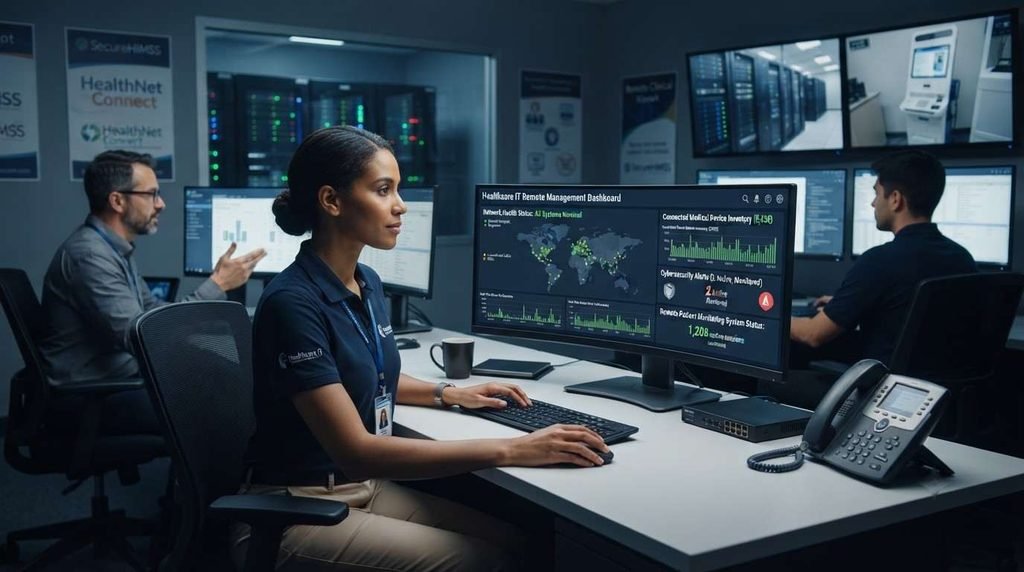
Remote Monitoring and Management in Healthcare IT
There is another meaning of remote monitoring and management that you may see online. It comes from the IT world. Here, it describes tools that let technical teams watch and fix computers, servers, and networks from a distance.
This is often called rmm remote monitoring and management, or simply RMM. IT teams use RMM tools to check device health, install updates, spot problems, and fix them without visiting each machine. Managed IT companies use them to care for many clients at once.
Healthcare clinics use the same idea to keep their systems safe and working. Patient data lives on computers and in cloud tools, so those systems need steady care. An RMM tool can help keep software updated and flag odd activity.
How It Connects to Patient Monitoring
The two ideas are different, but they support each other. Patient remote monitoring tracks health data from people. RMM tracks the health of the technology that carries and stores that data.
A clinic running a remote monitoring system for patients still needs strong IT. Hubs, apps, servers, and portals must stay online and secure. Good remote monitoring and management on the IT side protects the patient side.
If you manage a small clinic, ask your IT partner how they handle updates, backups, and security alerts. It is a simple step that protects both patients and staff.
Searching for a Lowes Remote Monitoring Specialist?
Some readers arrive here after searching for lowes remote monitoring specialist. That phrase usually points to a job title or a home service role rather than to patient care. It is not about health programs, so we cannot speak for any company or job listing.
If you are looking for that role, visit the official careers page of the company you have in mind. If you want home monitoring help, ask the company directly what services it offers. Be careful with third-party listings and always confirm details at the source.
If you came here for health information, you are in the right place. The rest of this guide focuses on patient remote monitoring and the tools that support it.
Privacy and Security: Protecting Health Data
Health data is deeply personal. A program that collects it every day must guard it well. This is a key part of trust in any remote monitoring system.
In the United States, privacy rules under HIPAA apply to many health care providers and their partners. The HHS page we linked earlier explains how these rules relate to monitoring programs. Rules differ by country, so check the laws where you live.
Questions Patients Should Ask
You have a right to know how your data is handled. Do not be shy about asking.
- Who can see my data?
- Is my data encrypted when it travels and when it is stored?
- Does the company share or sell my data?
- How long do you keep my records?
- What happens if my device is lost or stolen?
A trustworthy program will answer in plain words. If answers feel vague, take that as a warning sign. Ask your doctor whether they are comfortable with the vendor.
Safe Habits for Everyone
Small habits make a big difference. Use a strong, unique password for your monitoring app. Turn on two-step sign-in if it is offered.
Keep your phone and apps updated. Use only trusted Wi-Fi when syncing data. Report any strange messages or login alerts to your care team.
Limits and Risks to Keep in Mind
No health tool is perfect. Understanding the limits helps you use it wisely. Here are some common ones.
- Accuracy: Home devices can give wrong numbers if used badly or if they are poor quality.
- Tech barriers: Some people struggle with phones, apps, or internet access.
- Alert fatigue: Too many alerts can overwhelm staff and patients.
- Cost and coverage: Not every plan pays for every service.
- Data worry: Constant tracking can make some people anxious.
- Gaps in care: Numbers do not capture how you feel, so symptoms still matter.
These issues are manageable with good planning and honest talk. Tell your care team if the program feels stressful or confusing. They can adjust it to fit your life.
And remember, remote monitoring is not for emergencies. If you have chest pain, trouble breathing, or severe symptoms, call emergency services at once. Do not wait for a program to notice.
How to Get Started With Remote Monitoring
Starting is easier than most people think. A few clear steps can set you up for success. Here is a simple path.
- Talk to your doctor. Ask whether monitoring fits your condition and goals.
- Check coverage. Call your insurance plan and ask what is covered.
- Choose the program. Your clinic may offer one, or may work with outside remote monitoring services.
- Learn your devices. Ask for a demo and practice before you go home.
- Set a routine. Take readings at the same times each day.
- Know your alerts. Ask when you should call and when to seek emergency help.
- Review progress. Check your trends with your care team at each visit.
For clinics, the path is similar but includes more planning. Pick a small group of patients first. Test your remote monitoring platform, train your staff, and track results before you grow.
Common Myths About Remote Monitoring
Misunderstandings can stop people from using helpful tools. Let us clear up a few.
Myth: It replaces my doctor. Fact: It adds information for your doctor. You still need visits, tests, and advice from real people.
Myth: It is only for older people. Fact: People of many ages use it, from new parents to athletes in recovery to older adults.
Myth: It is too hard to use. Fact: Most devices are made for home use and come with simple steps. Your care team should help you learn.
Myth: My data is not safe. Fact: Well-run programs use security controls and privacy rules. Still, always ask questions and choose trusted providers.
Myth: More data always means better care. Fact: Data helps only when someone reviews it and acts on it. Quality matters more than quantity.
Frequently Asked Questions
What is remote monitoring in healthcare?
It means collecting health data from a person at home and sending it to a care team elsewhere. The data can include blood pressure, blood sugar, oxygen, weight, and more. The team reviews it and acts when needed.
Is remote monitoring the same as telehealth?
No. Telehealth is a live visit by video or phone. Remote monitoring is steady data collection that can happen without a live call. Many programs use both.
Do I need special devices?
Usually yes, but your care team will provide or recommend them. Some programs use your own smartphone and apps. Always check that a device works with your program.
Can remote monitoring prevent hospital visits?
It may help some patients avoid emergency visits by catching problems early. Results differ by condition and program. It works best when the care team responds quickly.
Is a remote monitoring platform the same as a remote monitoring system?
They overlap, but they are not identical. A remote monitoring system is the full setup of devices, connections, software, and people. A remote monitoring platform usually refers to the software and services that tie it together.
What does RMM mean?
In IT, rmm remote monitoring and management means tools that watch and fix computers and networks from afar. In healthcare, patient monitoring is a different idea. Both aim to catch problems early.
Will insurance pay for it?
Sometimes. Coverage depends on your plan, your condition, and the program. Call your insurer and your clinic before you begin.
Final Thoughts: Better Care, Closer to Home
Remote monitoring turns your home into part of your care team’s view. With the right devices, safe software, and a responsive team, it can help people with chronic conditions stay healthier. It also brings doctors and patients closer together.
Here is the short version. Learn the basics, choose trusted remote monitoring services, and check how the remote monitoring software connects to your doctor’s portal. Ask smart questions about privacy, cost, and support.
Your health is too important to leave to guesswork. Talk with your doctor about whether this approach fits you. Share this guide with a family member who could benefit too.
Medical Disclaimer
This article is for general education and does not replace advice from a licensed doctor or other healthcare professional. Do not use it to diagnose or treat any condition. If you have severe symptoms or an emergency, call your local emergency number right away.